AI image generation has exploded in the past two years, and Grok’s entry into space has turned heads. Powered by xAI’s Aurora engine, Grok Imagine is a free AI image and video generator by xAI that creates photorealistic images and cinematic videos directly from text prompts. It’s fast, capable, and free making it an attractive option for creators.
But Grok isn’t for everyone. It’s tightly integrated with the X platform, has limited editing flexibility, and its free usage comes with restrictions. If you’re looking for more control, broader features, or a tool that fits better into your existing workflow, you’re in the right place.
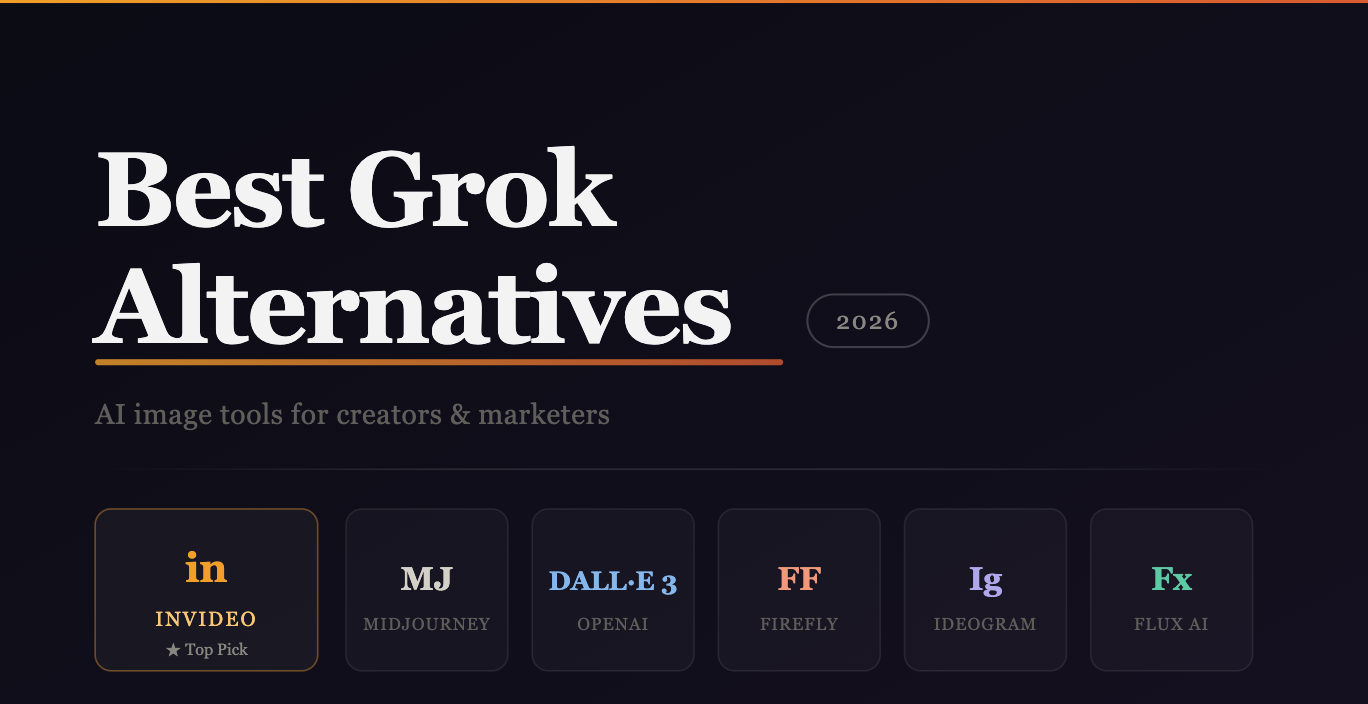
This guide covers the best Grok image generator alternatives in 2026, for creators, marketers, and businesses who need more than what Grok currently offers.
What to Look for in a Grok Image Generator Alternative
Before diving into the tools, here’s what separates a good alternative from a great one:
- Output quality — Does it match or exceed Grok’s photorealism?
- Prompt flexibility — Can it handle detailed, complex prompts?
- Free tier availability — Is there meaningful free usage without a paywall?
- Image + video capabilities — Can it do more than just generate static images?
- Commercial usage rights — Can you actually use the output for work?
With those criteria in mind, here are the top alternatives worth your time in 2026.
Best Grok Image Generator Alternatives in 2026
1. Invideo — Best for Creators Who Want Images and Video
If Grok’s biggest limitation is that it stops at images, Invideo is the obvious next step. Invideo doesn’t just generate images, it takes your visuals further, turning text prompts and images into full cinematic videos with audio, all within a single platform.
Invideo’s grok image integration lets you create photorealistic images and cinematic videos using the Grok Imagine model, meaning you get Grok’s image quality plus invideo’s video generation and editing layer on top. That’s a combination no standalone image generator can match.
To use it, you simply log into invideo, go to ‘Agents & Models’ choose ‘Grok Imagine’ for image generation or ‘Grok Imagine Video’ for video generation, write a text prompt or upload an image, hit generate, and download your output with complete commercial rights.
Beyond the Grok Imagine integration, Invideo also gives you access to a wide range of other leading AI models, including Google Veo 3.1, Sora 2, Kling AI, Flux Kontext, Ideogram, and Reve AI, all in one place. It’s essentially a multi-model AI creative studio.
Best for: Content creators, social media marketers, YouTube creators, and businesses needing both image and video output
Free tier: Yes
Commercial rights: Yes
2. Midjourney — Best for Artistic Quality
Midjourney remains the gold standard for visually stunning, artistically rich image generation. Its V6 model produces outputs that feel intentional and crafted, not just technically accurate but aesthetically striking.
Where Grok leans toward photorealism and speed, Midjourney leans toward artistry and style. If your work involves branding, editorial design, or creative direction, Midjourney’s outputs tend to be more visually compelling.
The main drawback is the workflow, it still runs through Discord, which adds friction. And unlike most tools on this list, there’s no meaningful free tier.
Best for: Designers, artists, and creative professionals
Free tier: No
Commercial rights: Yes (on paid plans)
3. DALL·E 3 (via ChatGPT) — Best for General Users
DALL·E 3 is tightly integrated into ChatGPT, making it one of the most accessible image generators available. You describe what you want in plain language, and the model has a strong grasp of context, intent, and nuance — especially for complex or multi-element scenes.
For users already embedded in the ChatGPT ecosystem, DALL·E 3 is a near-frictionless option. The downside is that free usage is capped, and it doesn’t extend into video generation.
Best for: General users and professionals already using ChatGPT
Free tier: Yes (limited)
Commercial rights: Yes
4. Adobe Firefly — Best for Brand-Safe Assets
Adobe Firefly is built for professionals who need to use AI-generated content commercially without legal risk. It’s trained exclusively on licensed and public domain content, making it one of the few generators with a credible answer to the copyright question.
Its integration with Adobe Creative Cloud means outputs can flow directly into Photoshop, Illustrator, or Premiere, which is a massive workflow advantage for teams already on the Adobe stack.
Best for: Creative professionals and marketing teams needing commercially safe assets
Free tier: Yes (limited)
Commercial rights: Yes
5. Ideogram AI — Best for Text-in-Image Generation
One area where most AI image generators still struggle is rendering legible, stylized text inside images. Ideogram AI was built specifically to solve that. Whether you’re creating posters, social media graphics, or promotional banners, Ideogram handles typography within images better than almost anything else on the market.
It also covers a wide range of styles, photorealism, illustration, graphic design and has a usable free tier, making it accessible without a big commitment.
Best for: Social media graphics, promotional content, and anything requiring text in images
Free tier: Yes
Commercial rights: Yes
6. Flux AI — Best for Developers and Advanced Users
Flux AI’s open-source roots make it one of the most flexible image generation options available. It consistently ranks among the top models for photorealism and fine detail, and because it’s available through platforms like Replicate and fal.ai, technically inclined users can build it directly into their own workflows and tools.
If you want control over parameters, custom fine-tuning, or API-level access to a top-tier model, Flux is hard to beat. It’s less beginner-friendly than other options here, but its output quality is exceptional.
Best for: Developers, researchers, and advanced creators who want deep customization
Free tier: Yes (via various hosting platforms)
Commercial rights: Depends on the platform
7. Canva AI (Magic Media) — Best for Beginners
Canva’s Magic Media feature brings AI image generation into an environment that millions of non-designers already know and use. You don’t need to learn a new tool, understand prompting best practices, or deal with a Discord bot, you just type what you want and drop it into your design.
The output quality isn’t as strong as dedicated generators like Midjourney or Flux, but for quick social media assets, blog headers, or presentation visuals, it gets the job done without a learning curve.
Best for: Non-designers, small business owners, and beginners
Free tier: Yes
Commercial rights: Yes (on paid plans)
How to Choose the Right Alternative
The best tool depends entirely on what you’re trying to create:
- Need images and video from one platform? → Invideo
- Need museum-quality artistic outputs? → Midjourney
- Need text rendered cleanly inside images? → Ideogram AI
- Need copyright-safe assets for client work? → Adobe Firefly
- Need API-level control and customization? → Flux AI
- Already use ChatGPT daily? → DALL·E 3
- Just starting out with AI image generation? → Canva AI
Conclusion
Grok Imagine is a genuinely impressive tool, fast, photorealistic, and free. But it works best when you’re creating standalone images for quick social posts, and it still has limitations around editing, video, and workflow flexibility.
The alternatives above each solve a specific gap. If you want the closest thing to a complete creative platform, one where you can generate Grok-quality images and extend them into full videos, Invideo is worth trying first. It even lets you use the Grok Imagine model directly, so you’re not giving anything up; you’re just getting a lot more on top of it.
AI image and video tools will continue to evolve rapidly through 2026. The smartest move right now is to find one platform that grows with you rather than jumping between tools every few months.